
Built for the working day
Offline POS: a lost connection, not a lost sale.
Your configured till records routine work on the device. A temporary connection problem does not have to turn cash checkout into a paper notebook.
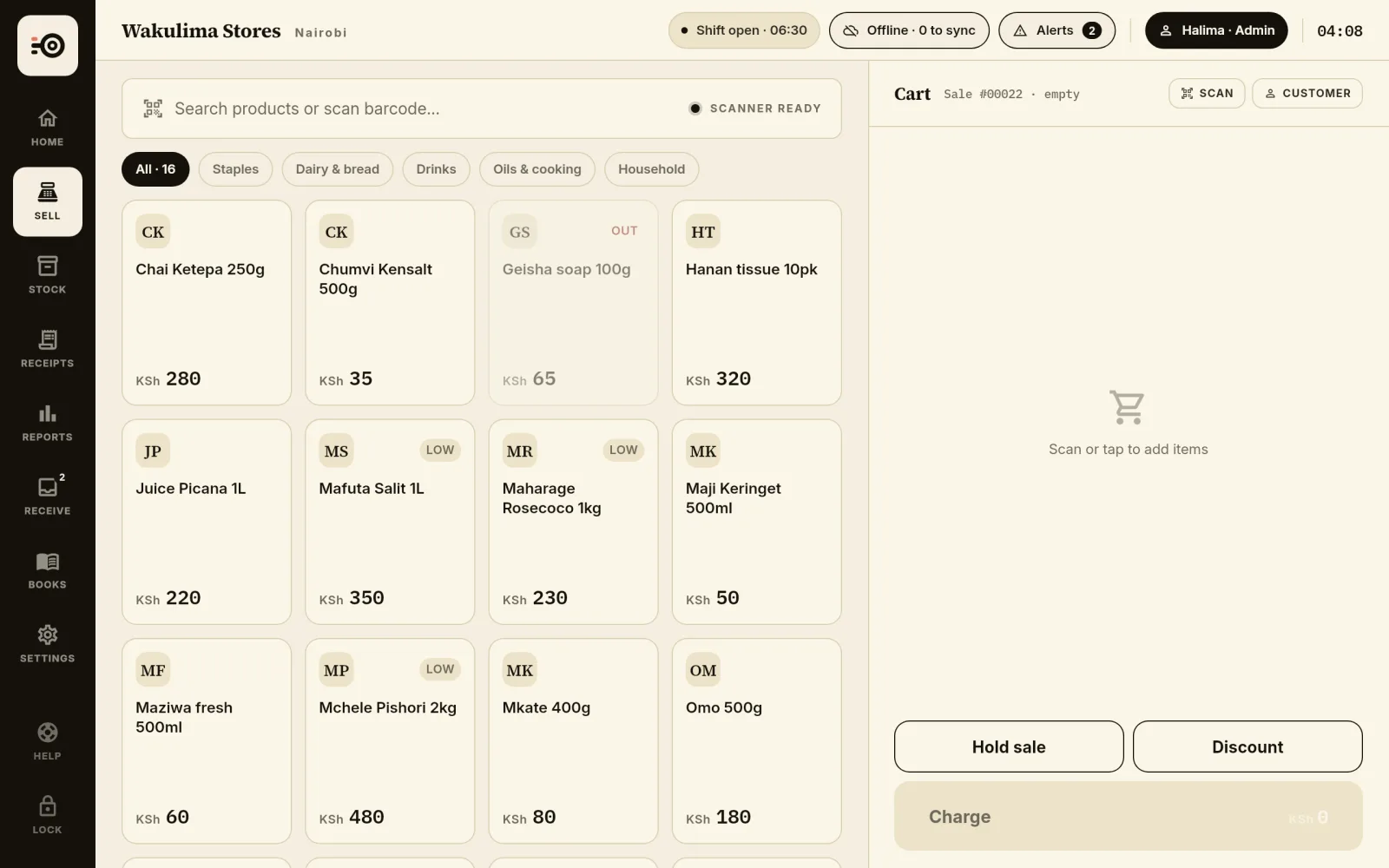
The work stays on the device
After online setup and an initial sync, cash sales, receipt records and local stock movements can be completed without a network call to the cloud.
Receipt numbers are issued on the till, so printing one does not wait for the network. Offline selling is part of the normal workflow. Reconnect regularly so records can sync and other devices can receive the latest activity.
- Cash checkout on the configured till
- Receipts recorded and numbered locally
- Stock movements recorded with the sale
See what is waiting
The header of the till shows its state. Synced, with the time of the last sync. Syncing, with the number of records still to go. Offline, with the number waiting.
If your sign-in has expired while records are waiting, the header asks you to sign in again and keeps the count in view.
Some work still needs a connection
Creating an account, signing in on a new device and completing initial setup require connectivity. Cloud sync and provider services also need the network.
An M-Pesa request or confirmation is not an offline cash payment. Tax submission is a separate workflow. Keep those pending statuses distinct from a completed local sale.
Sync is a handover, not a time machine
Other devices only see new activity after it has synced. A report on one till cannot include a sale that is still only stored on another disconnected device.
Unsynced records depend on the device that holds them. Do not clear site data or reset a device before syncing. Device loss or damaged local storage can mean loss of records that have not reached the cloud.
Where the data lives
Zanira keeps its working data in the browser’s storage on that device. That is what lets the till carry on without a connection, and it is why the browser profile matters.
A different browser, a private window or cleared site data starts from an empty till that has to sign in and sync again. Use one browser profile per till and leave its site data alone.
Test your actual counter
Use a supported browser and verify the printer and scanner you intend to use. Hardware availability, browser permissions and stored data affect the complete offline experience.
Set up online first and make a trial cash sale with the connection disconnected before relying on the workflow during trade.
Good to know.
Can I set up a new till without internet?
No. Account setup, new-device sign-in and the initial sync require a connection. Prepare and verify the counter online first.
How do I know everything has synced?
The header of the till shows how many records are waiting. When it reads “Synced” with a time, nothing is waiting on that device.
Will my other tills update immediately?
Only when connected and synced. Each device works with its local data while disconnected, so another till’s new activity will not be visible until sync completes.
Can I confirm a mobile-money payment offline?
Provider confirmation requires connectivity. A locally recorded request or reference is not proof that a provider has settled the payment.
What happens if I clear my browser data?
The till’s local data is removed with it. Anything that had not synced is lost, and the till has to sign in and sync again. Sync first.